How to Use the To-Do Feature
Update Date: 11/24/2025
How to Record To-Dos?
-
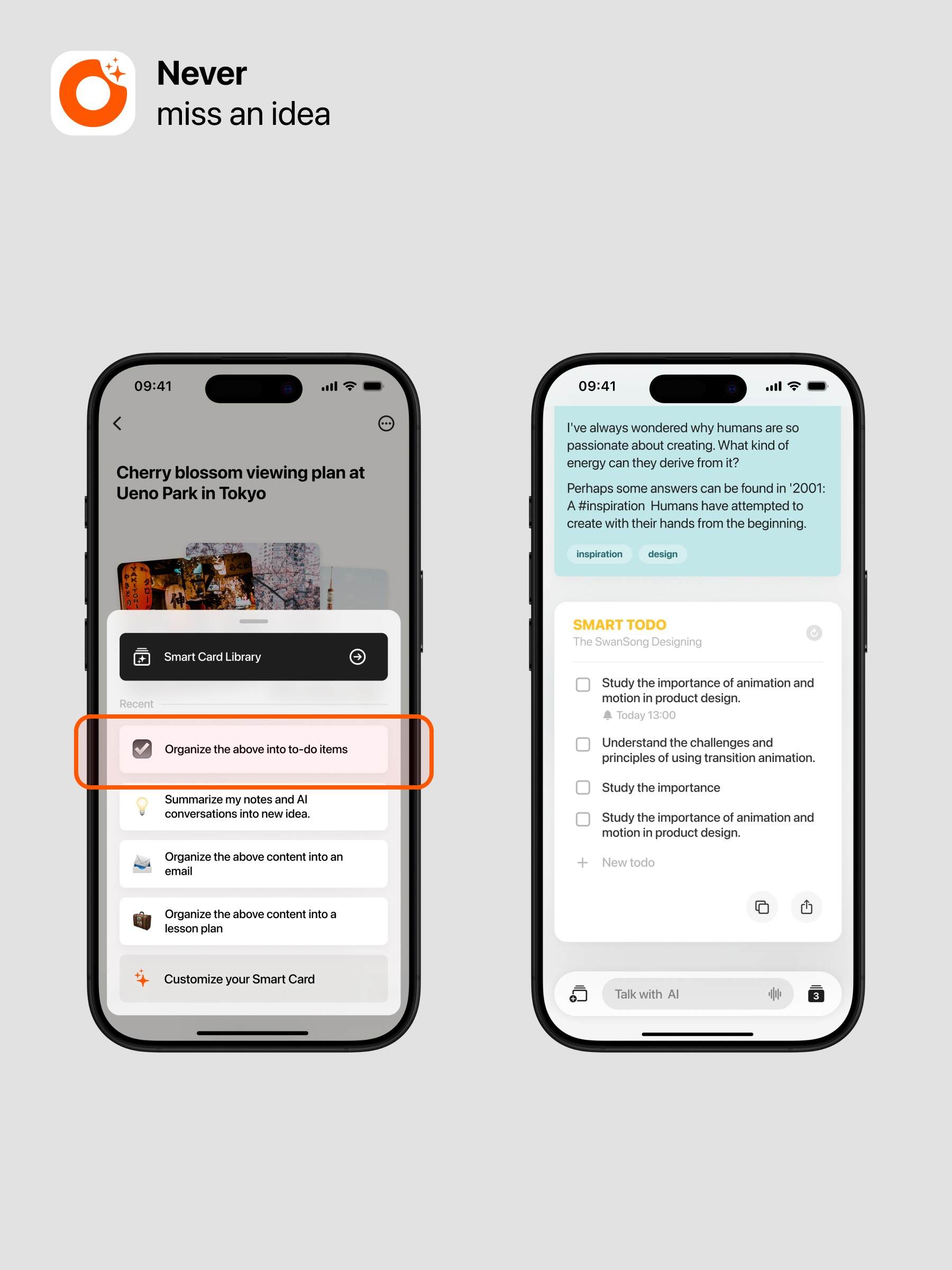
Step 1: Use voice input to enter your to-do content (Learn about quick input methods)
-
Step 2: Click to generate the to-do smart card
How to Manage To-Dos?
-
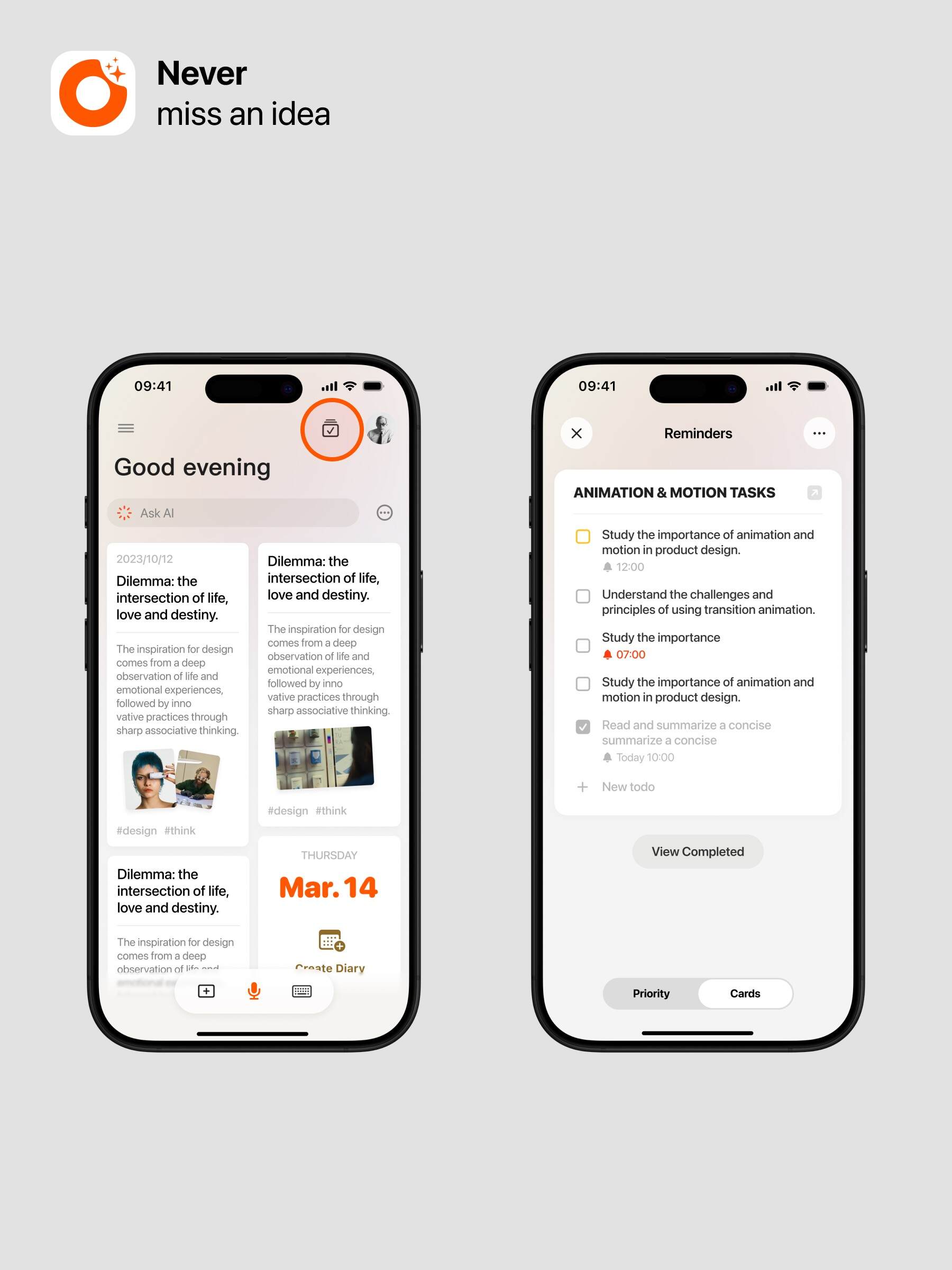
Task Cards
- View all synced to-do cards
-
Priority
-
Manage the priority of all to-dos
-
Swipe left on a to-do to switch it to “Now” or “Later”; swipe right to multi-select to-dos
-
Advanced Operations
-
You can directly have ideaShell generate to-dos within conversations
-
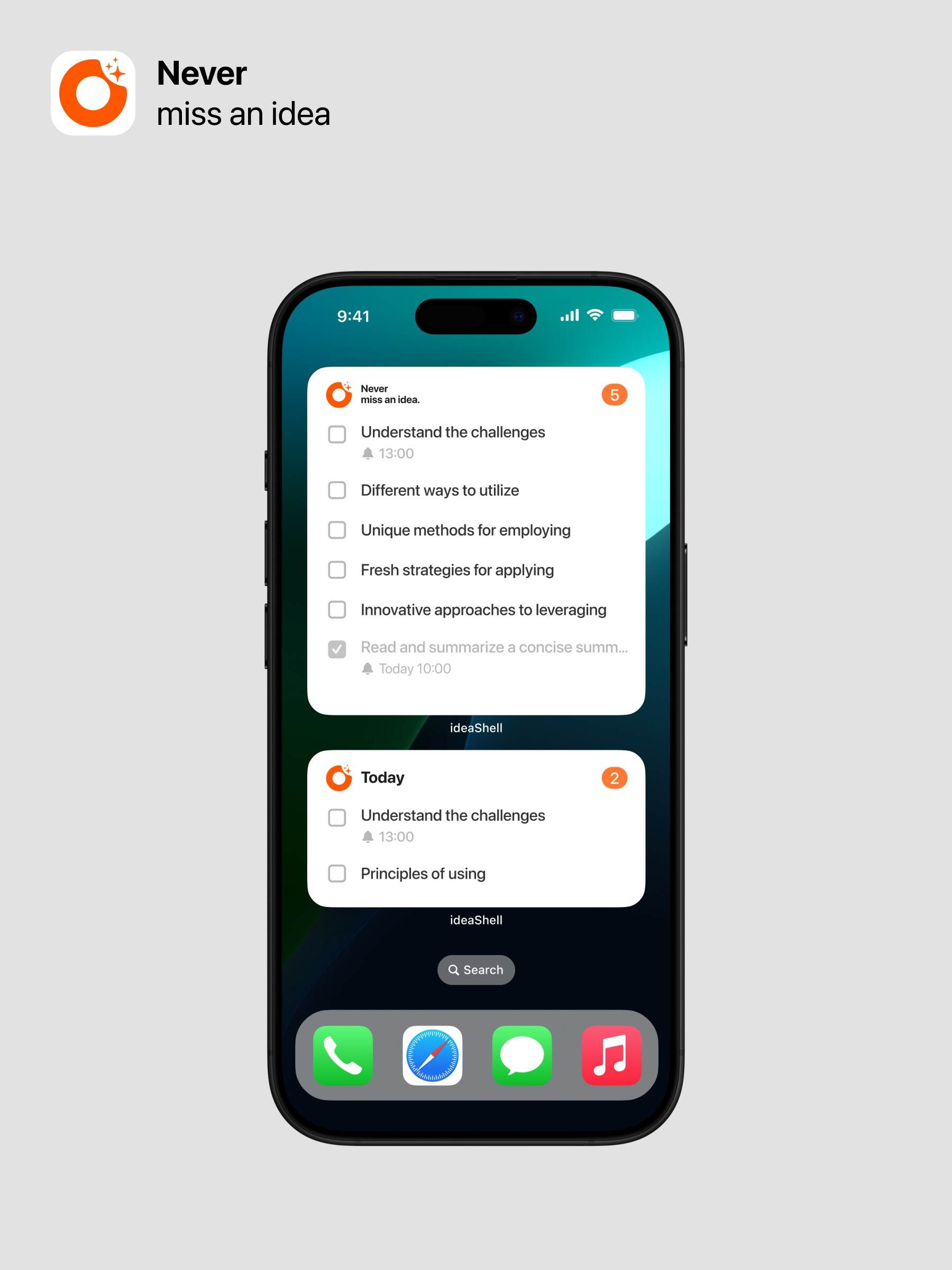
Add widgets to view and manage to-dos
-
Long press the screen, then tap the top left corner to add a widget
-
Tap ideaShell
-
Tap to add the to-do widget to view and manage your to-do content
-
-
Specify which to-dos the widget displays
-
Long press the widget
-
Tap Edit Widget
-
Select the to-do list you want to display
-