How to Urgently Recover Recording Files?
Update Date: 11/26/2025
For recording data, we have implemented multiple layers of protection and scenario optimizations, such as:
-
Unexpected exit: In special phone situations like crashes or restarts (you can try killing the app in the background during recording), the recording will still be saved up to the point before the app was killed.
-
Incoming calls: When the phone rings, the recording will automatically pause, and after the call ends or is hung up, the recording will automatically resume.
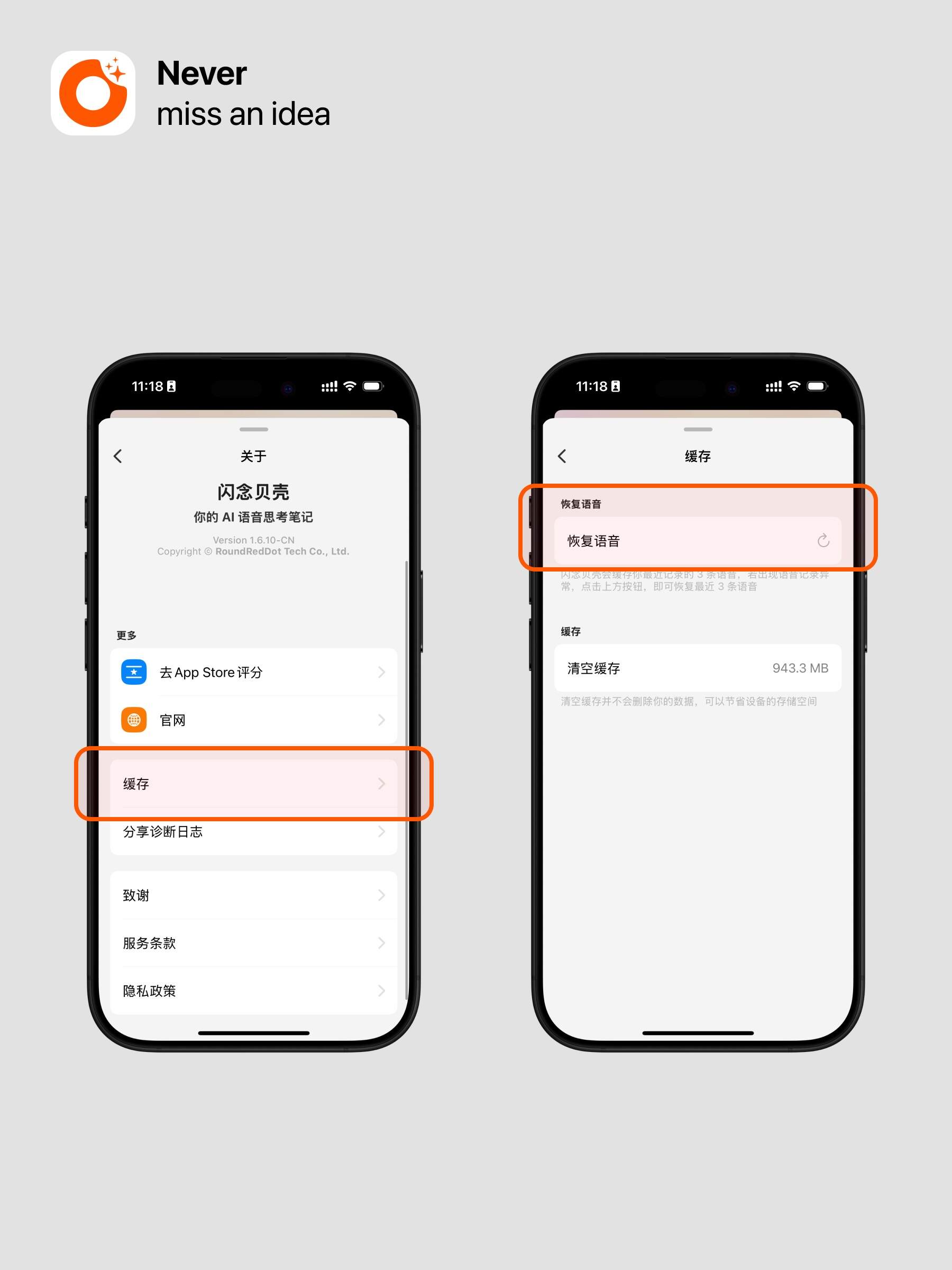
Additionally, if you find that data was not saved, you can also recover the recording cache in the settings. Here’s how:
Click ideaShell Settings, at the bottom of the settings page, click Recover Recordings to restore your last 20 recorded files.