Document Scanning and Drawing Features
Update Date: 11/25/2025
iOS is already released, Android is in development
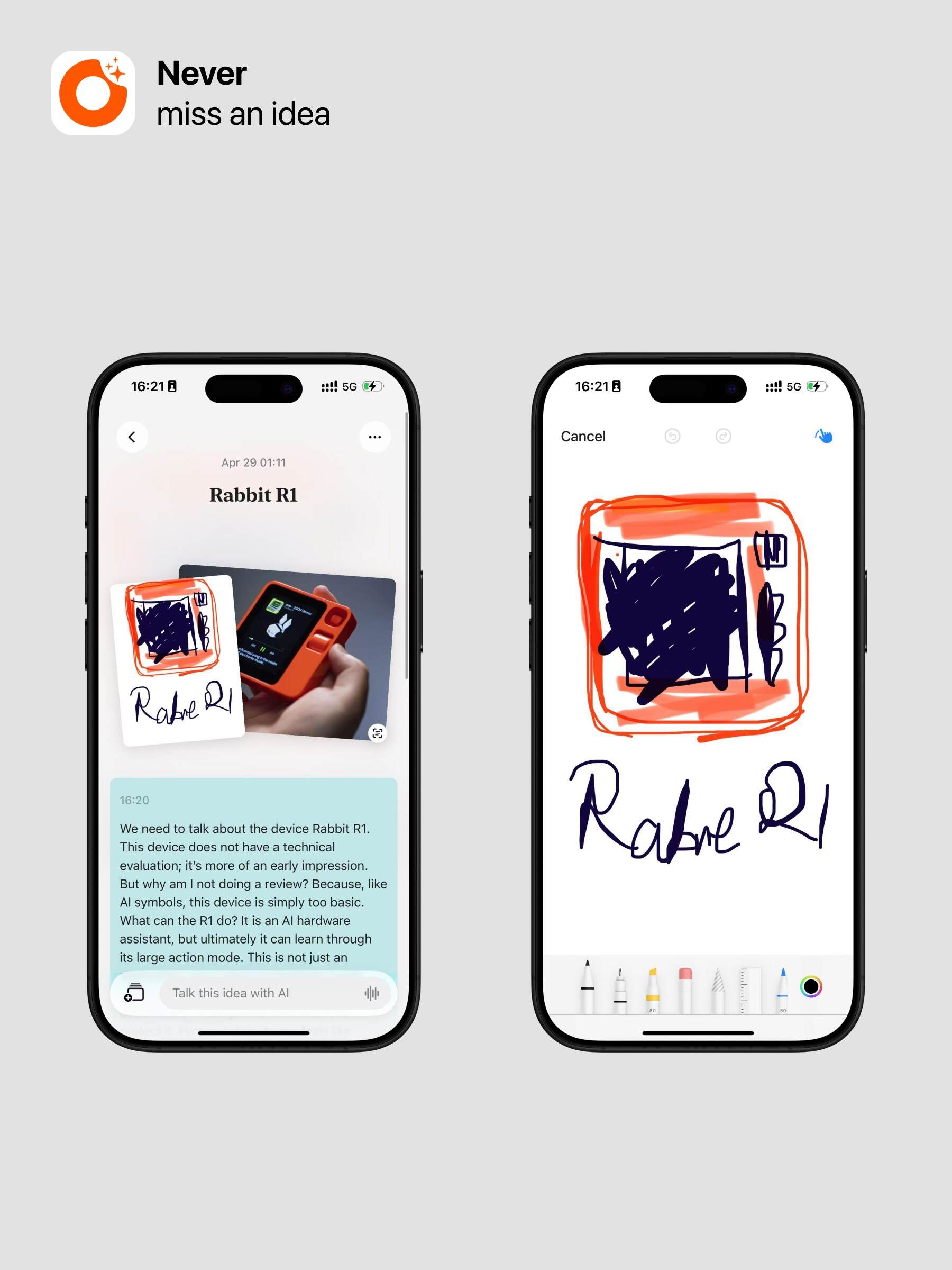
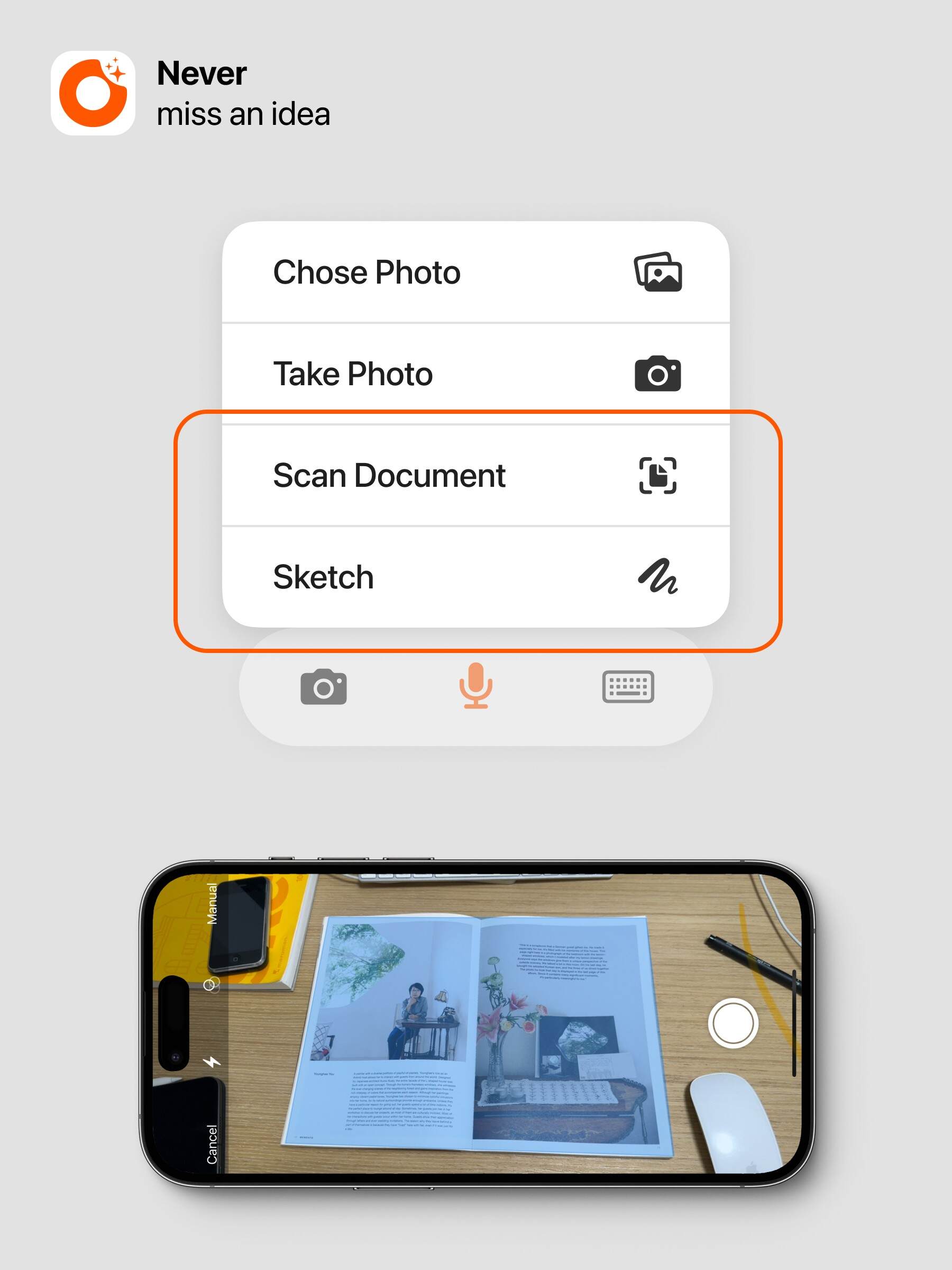
In addition to text, recordings, and images, you can also add document scanning and drawing features to your notes.
When creating a new note, you can choose Document Scanning or Drawing.
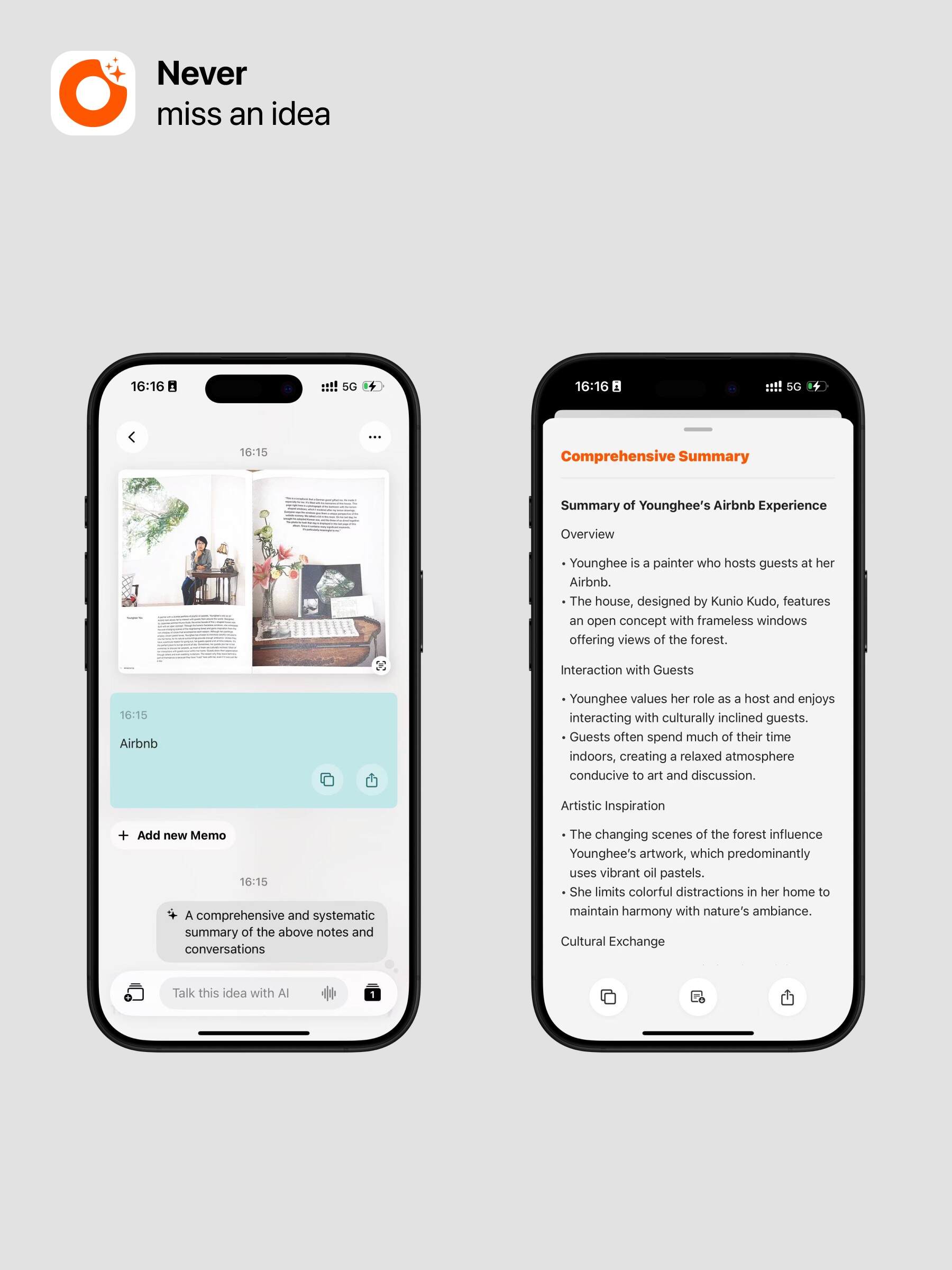
The powerful document scanning feature will automatically process your images into neat-looking documents and can recognize the text inside. For example, after scanning, you can have Ask AI help you organize the content, or even scan languages you know and get translations.
Additionally, the drawing feature offers a comprehensive set of drawing tools. You can choose from many brushes to express your creativity and ideas. During recordings, you can also quickly draw to capture more content.